Presentation :
This document defines a set of rules for
systematically and automatically assigning tool numbers to machining operations
as part of the XML export process.
The aim is to ensure a precise correspondence
between each operation and the right tool, in line with technical specifications
and machine constraints.
For rabbeting
and grooving operations, it is possible to assign different numbers
to saws and mills
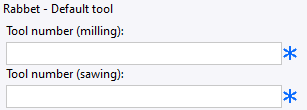 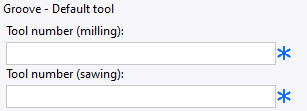
|
For profiling
operations, a different number can be assigned to each code for
each tool :
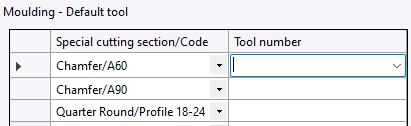
|
For pocket
operations, it is possible to assign a different tool number depending
on whether or not the pocket is through-going :
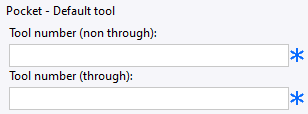
|
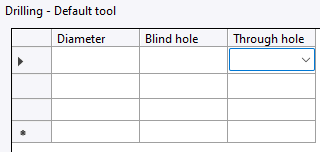
For drilling,
different tool numbers can be assigned for blind and through holes,
depending on hole diameter :xz
|
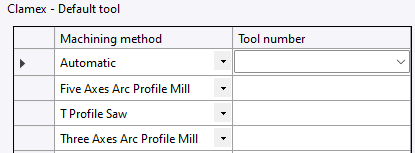
For Clamex connectors,
it is possible to assign a tool number for each machining method
:
|
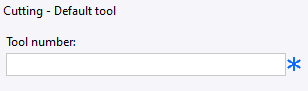
For contouring,
marking and cutting operations, it is possible to assign a tool
number to each operation :
|
Creation stages / Use :
1. Add a rule
Select a rule from the list of available
rules.
Click on the → arrow to add it to the
selected rules.
Once added, the rule appears in the
central list.
-
2. Modify rule parameters
Click on a rule in the list of selected
rules.
The associated parameters are displayed
in the right-hand panel.
Modify options via drop-down menus
or input fields.
3. Delete a rule
Select a rule from the list of selected
rules.
Click on the ← arrow to remove it.

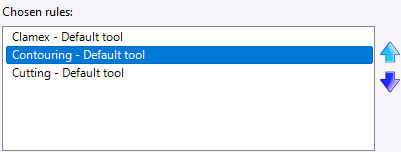
4. Change the order of applied rules
The order of the rules in the list of selected rules determines the
priority. The ↑ and ↓ arrows can be used to rearrange this order.
Tool Reference by Material
:
For rabbet, groove, and pocket operations, it is possible
to assign a different tool number for each material.
When a material-based tool rule is moved for the first
time into the selected rules, the creation of a material parameter
is automatically initiated.
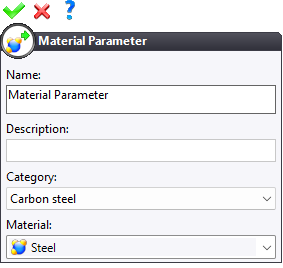
To validate the dialog, a material value must be assigned
to this parameter. The chosen value itself is not important. (The material
value of the part will be associated with this parameter to define the
tool reference when exporting to the machining solution.)
After validating the material parameter, the creation of the tool
number parameter is initiated :
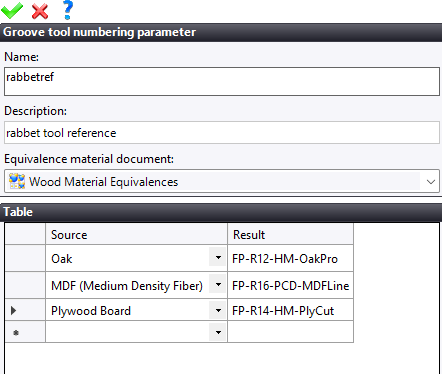
It is then possible to assign the desired tool reference according
to each material.
It is also possible to define a material
equivalence document.
Expressions :
For rabbet, groove, and pocket operations, it is possible
to assign a different tool number depending on the operation parameters.
For each operation, several parameters are available:
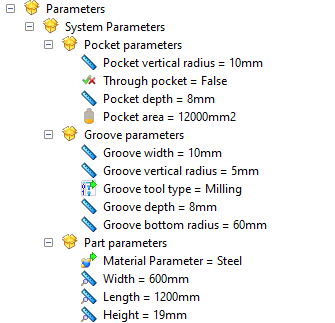
It is then possible to define expressions
allowing different tool references to be used according to the values
of these parameters.
Example :
=when($'Profondeur de la poche'>10;"101";"FR-2TA-6")
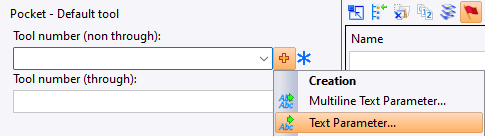
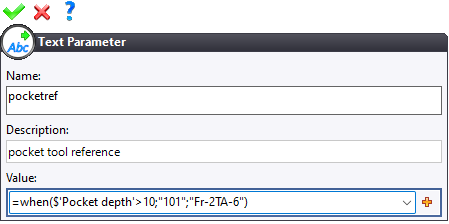
In this case, if the pocket depth is greater than 10 mm,
the exported tool reference will be "101",
otherwise it will be "FR-2TA-6".

|
A work document can call specific MF
tool reference rules for a specific case. |