
Cartesian point
|
|
Cartesian point |
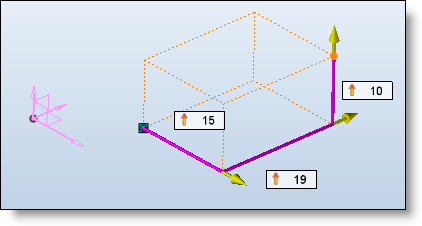
This command allows you to create a Cartesian point, by entering its coordinates in X, Y and Z.
Creation Stages / Use:
Click the icon or select Construction > Points > Cartesian Point... command from the drop-down menu.
Select the origin point or frame. If no point is selected, the absolute point is used automatically (coordinates 0,0,0).
Enter the value in X or use the labels.
Enter the value in Y or use the labels.
Enter the value in Z or use the labels.
Choose an orientation frame for the above values.
|
|
It is possible to create a point or a frame "on the fly" by clicking the "+".This point and this frame are created during the use of the command and will be deleted if the command is canceled. |
