Pin
|
Pin |
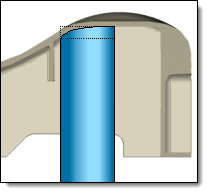
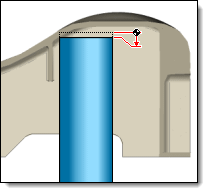
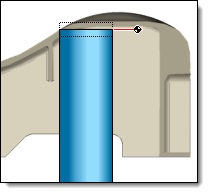
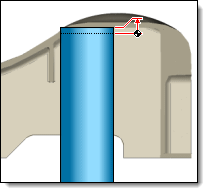
This command allows you to include Pins in the mold file, position them, dimension them and trim then with the shape with shrick.
Creation stages / Use:
Click the  icon or select the Mold > Pin...
command from the drop-down menu.
icon or select the Mold > Pin...
command from the drop-down menu.
Select the pin to include among the available TopSolid libraries.
Position the pin by point or sketch.
Determine its dimensioning and positioning.
It is possible to choose the keying mode to apply.
Then, it is possible to set the trimming mode.
Validate  .
.
|
The point mode allows you to insert the pins one by one, and set carefully for each one the inclusion parameters. The sketch mode allows you to insert simultaneously several pins. In this case, only the automatic modes can be chosen. |
Available options:
Pin:
|
|
|
For all the ejector pin types, two dimensioning options are checked : Diameter and Length. In this case, the dimensioning is automatically computed with taking in account the mold environment.
For ejectors of the shouldered type, an additional dimensioning constraint is proposed:
For the blade pins, three additional dimensioning constraints are proposed:
For the Tubular pins, an additional dimensioning option is proposed :
|
Positioning:
|
|
Keying:
|
|
Trimming:
|
Trimming mode: Several trimming modes can be chosen:
|


 .
. Sketch:
 Points :
 Circles :