Pattern Local Assembly
|
|
Pattern Local Assembly |
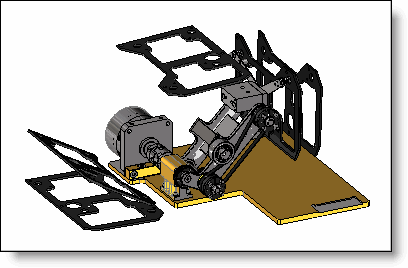
This command allows to create a local assembly defined by repetition of assembly parts. The main usage of this functionality is to make envelope of parts in movement by using the simulation pattern.
Creation stages / Use:
Click the icon or select the Modeling > Pattern Local Assembly... command from the drop-down menu.
Enter the name of the local assembly.
Also provider a description, reference. and comment, if necessary.
Select the parts and sub-assemblies to add to the local assembly.
Select a pattern. A simulation pattern can also be selected.
Validate.
|
|
A local assembly is only defined in the assembly document. There are no specific documents that correspond to its contents. It is preferable and more efficient to use local assembly rather than in place assembly when it does not have to be included in other assemblies, while it is more powerful. |
Modifications / Additional information:
The local assembly is found in the "Parts" folder of the entity tree. Also, you can edit it to add or delete parts from the list.
|
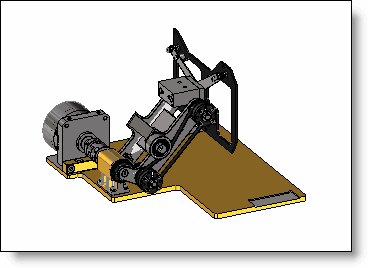
Assembly in start position |
Local assembly with a simulation pattern |
|
|
|