 Use normals
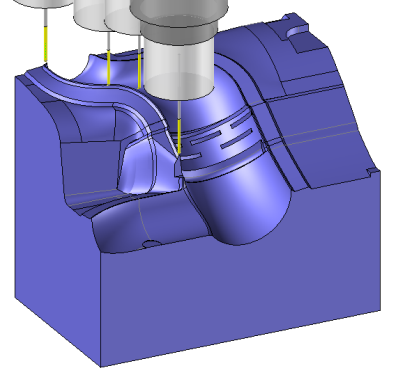
 Use normals
|
|
|
|
|
|
|
|
To set a normal on a tool path simply click on the icon  and select the point where we want to set this normal.A compass appears on it.
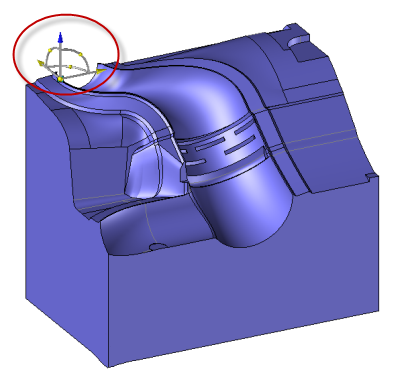 |
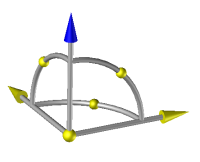 |
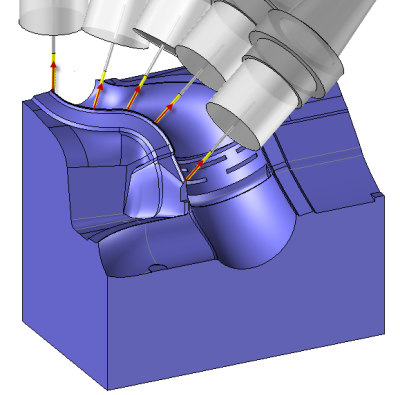
The normal that will be used by the machining is represented by the blue arrow
To modify the orientation of the compass we must activate the option "Angles" and modify the ZX and (or) ZY values.
 It is also possible to modify the normal orientation by dragging the yellow balls on the compass.
To reset the compass on is original position simply untick the option "angles"
 As soon as the 5 axis operation has been realized it is possible to edit the normals calculated by TopSolid and then modify them.
To edit the normal of a 5 axis operation simply right click on the operation in the operation manager and choose the option "normals modification".
|
Link Movements Methods Measure the distance between the tool and the part.. Search Misc operations Show/hide normals Edit a technological point... Machining details... Change the program Display options... Generate ISO... Settings of operation Edit Normals modification
|
Link to the normals modification function