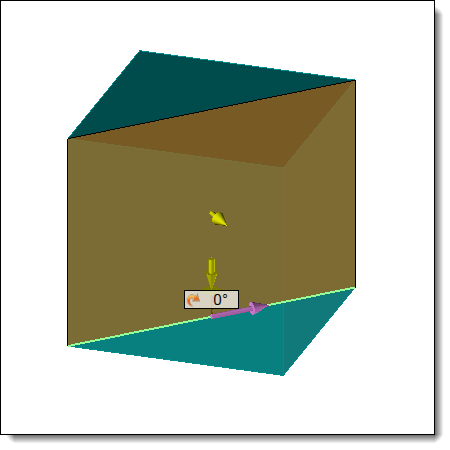
Example of a Cutting operation
|
Cutting |
This command allows cut a part according to a profile.
Creation stages / Use:
Select the Wood > Cut ... command from the drop-down menu (for a document part or assembly)
For a Panel document, use the Modeling > Cut ... command.
Choose the shape to modify
Select a profile, it is according to this profile that the part will be cut.
Check Extend profile, if the profile is shorter than the shape to be cut.
Check or uncheck Reverse to reverse the side of the cutout.
Choose a direction for the cutting operation.
Angle the cutting operation if necessary.
Example of a Cutting operation |
|
This operation will generate an MF that will be useful for machining. |
Available options:
Hide tools:
|
The tools are hidden by checking this option. By unchecking this option, the tools remain visible and can be used for another command.
|
Machining process:
|
This option allows you to assign a machining process to the operation. This machining process can then be retrieved in a machining document.
1.Select a machining process document from the drop-down list. 2.Choose a process from the drop-down list. |
Changes / Additional information :
To view MFs, activate the Create MFs icon available from the Home tab. An MF folder is then created in the entity tree. Check the cell in front of this folder to display them on screen.
Profile orientation and reference face
When creating a cutting operation, it is essential that the profile used is correctly oriented relative to the panel.
If the profile does not originate from a sketch based on the TOP or BOTTOM face, the user must explicitly select one of these two faces. This ensures that the Machining Feature (MF) is correctly defined and can be properly used for machining operations.
Usage constraints:
The cutting operation must not be defined from a lateral face (edge).
The profile must be oriented along the X axis.
If these conditions are not respected, the generated MF will not contain a valid reference to a TOP or BOTTOM face. As a result, automatic machining or MF-based machining operations may produce incorrect results.
Recommendation:
It is recommended to use a profile created from a sketch positioned on the TOP or BOTTOM face. If not, one of these faces must be explicitly selected during the creation of the operation.
