
|
Interlock
Parting Surfaces |
This command allows to create Interlock
Parting Surfaces.
Creation stages / Use:
Click the  icon or select the Split > Interlock
Parting Surfaces... command from the drop-down menu.
icon or select the Split > Interlock
Parting Surfaces... command from the drop-down menu.

|
- This
operation create ONLY
the "interlock area". You would be necessary to
previously design a Parting
Surface that will be used as the reference face to trim:
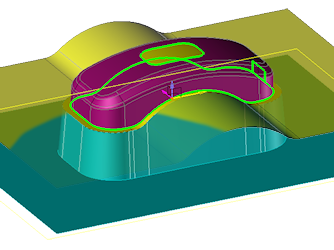
Yellow
Faces are the Parting
surface
Blue
Faces are the
Interlock Parting surface.
|
Choose the
expected Mode to use:
Select the
Destination plane.
Determine
the Extrusion direction and
the draft angle.
Validate  .
.
Available options:

|
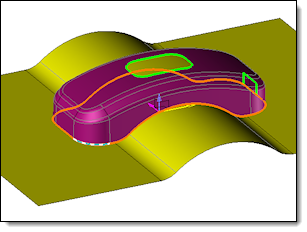
Edge path selection |
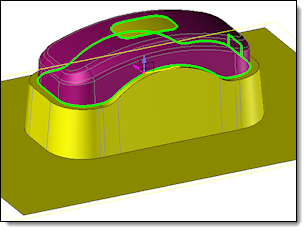
Result
after the edge path
projection and offset computation |
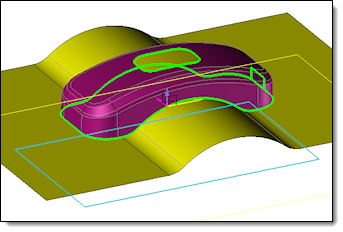
Sketch
selection |
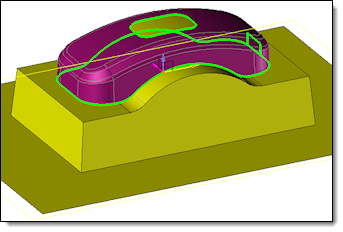
Result |
|

|
Plane:
Select the destination plane. If it doesn't exist, create
it "from scratch"  .
If you need it, Reverse
it .
If you need it, Reverse
it  . . Extrusion
direction: Destination
plane : TopSolid'Split
detects automatically the direction according the plane previously
defined. Manual
: You indicate the axis for the direction creation. If it
is needed, create it "from scratch" . Draft
angle : It allows you to create the extrusion with
a draft. |
Modifications / Additional information:
- During their validation, the Parting Surfaces are automatically
assigned to the Parting Surfaces
set in the Entity tree.
- Surface attributes can be determined
by the Parting
surface set.


