
Exception
|
Exception |
This command allows to personalize the contents of a view by applying exceptions (lines attributes, unsectionability,...) to entities of this view. The selected parts use parameters defined in the exception. For example, if the lines are black and if the exception of the part A indicates green, part A lines in the view will be green.
Creation stages / Use:
Click the icon or select the Exception ... contextual
command from the view to modify.
Check assemblies and parts on which apply the exception.
Select the style to apply or create a new style by clicking "+"
Validate.
|
Filter selection area:
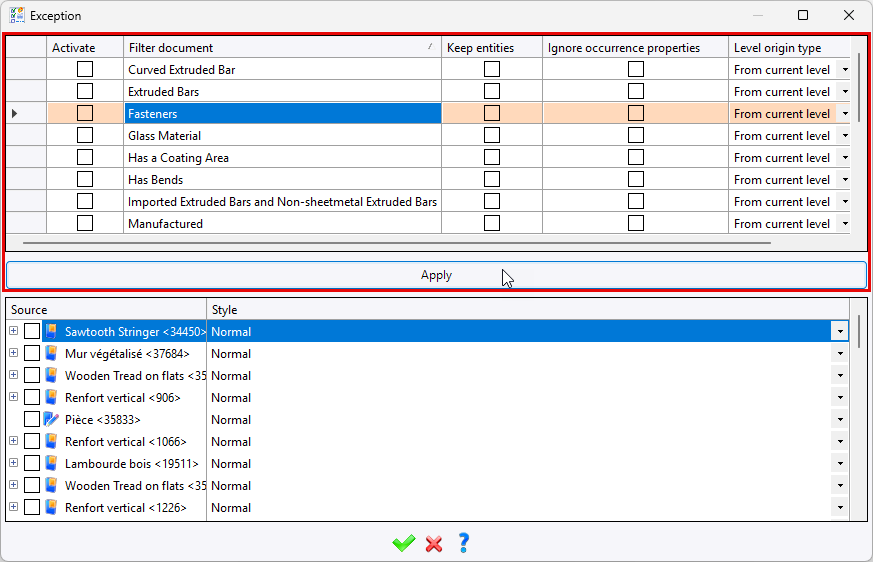
Activate: Allows you to enable or disable the filter document. Filter document: Allows you to filter the contents of the list. Keep entities: allows to define whether you want the filter to keep or ignore parts that match the filter criteria. Ignore occurrence properties: allows to ignore modifications made locally in the assembly to the properties of a part. Level origine type:
The list of documents at the bottom of the window is then filtered by clicking the Apply button. |
|
An exception style can only be applied only on a set that refers to an assembly document or on an assembly view. |

