Silhouette
|
Silhouette |
This command allows to create the silhouette of a shape following a direction.
Creation Stages / Use:
Click on the icon
or choose the command 2D
Sketch > Operations > Silhouette... from the drop down menu.
Select the calculation mode.
Geometrical: the silhouette is calculated by the modeler from the geometry of a shape.
Select the shape.
Select the direction. By default, this direction is normal to the sketch plane. It is the envelope's projection direction on the sketch support plane.
The Merge option allows, when checked, to reduce the number of segments of the silhouette. This option is not available when editing an old silhouette created before TopSolid 7.7.
Validate with the  button.
Graphical: the silhouette is calculated by the graphics card, reducing calculation time for complex shapes.
Select the shape.
Enter the offset value between the shape and the silhouette.
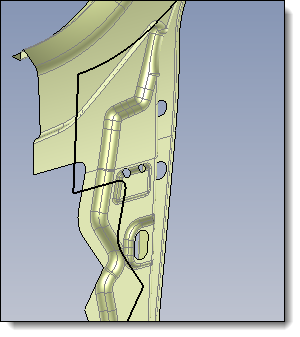
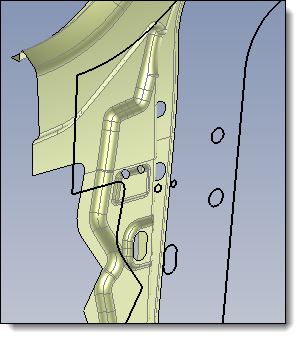
Keep inner contours: allows to preserve the contours in the silhouette result when the geometry has openings in the shape.
|
|
Without Keep inner contours option |
With Keep inner contours option |
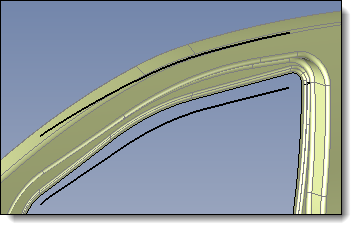
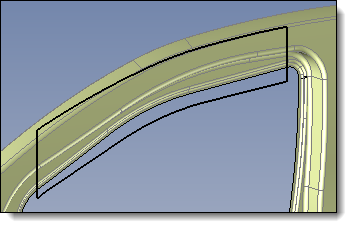
Close profiles: open profils are connected to create closed profils.
|
|
Without Close profiles option |
With Close profiles option |
Check result: with this graphic calculation mode, certain verification steps are not performed. This option allows forcing the verification and thus detecting any self-intersections in the contours.
Validate with the button.
|
|
The sketch plane can be outside of the shape. The envelope will be projected according to the indicated direction. |
Available Options:
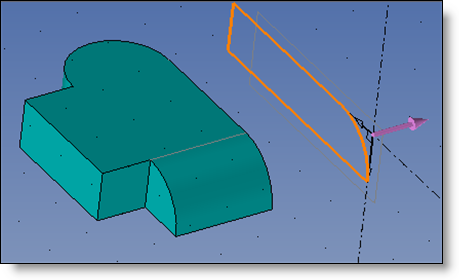
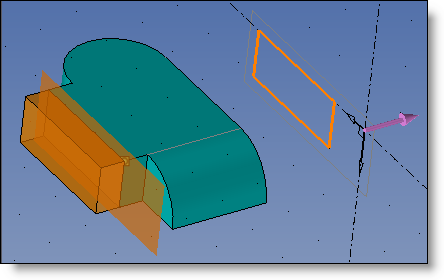
Trimming plane (available with Geometrical mode only):
This option allows an envelope to be projected onto only a portion of the part.
|
Offset: Defines a trimming plane that is offset from the sketch support plane by the entered value. By checking Invert, the trimming plane will be the other side of the sketch's support plane.
|
|
Point: Allows you to select a point in order to define the offset of the trimming plane with respect to the sketch support plane. By checking Invert, the trimming plane will be the other side of the sketch's support plane.
|
|
|
Silhouette without a trimming plane |
Silhouette with a trimming plane |
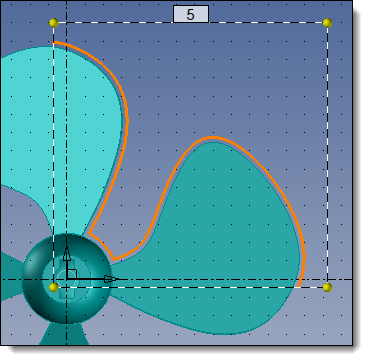
Grid (available with Graphical mode only):
|
|
Calculation of a silhouette by zone with 5mm margin |
Additional information: