|
Coating Surface |
This command allows the calculation of the painting surface and the application of the coating on an assembly or a part.
The system parameter Coating Area resulting from the calculation is also created.
Creation stages / Use:
Select the Tools > Coating Surface... command from the drop-down menu.
The Shapes mode is based on the shapes contained in a representation:
Select the representation to use.
If necessary, specify a visible face percentage (see below).
Validate the dialog.
The Faces mode requires the faces to be selected manually:
Select the faces to be considered.
Validate the dialog.
|
|
|
Visible face percentage (mode Shapes only): This percentage makes it possible to exclude some faces when the percentage of visible surface, in relation to the total surface of the face, is less than the given value. To find out the maximum percentage of visibility of a shape, TopSolid calculates the visible surface of the face in all possible directions taking into account the possible obstacles that surround it and retains the largest value.
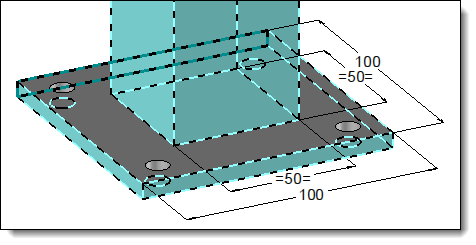
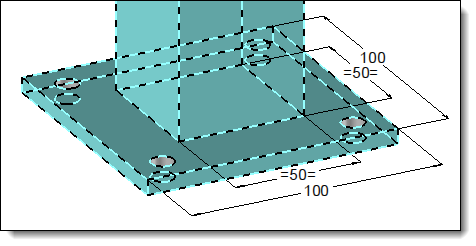
A 50×50 square extruded bar is placed on a 100×100 plate. It therefore hides 25% of the top face of the plate:
|
||||
|
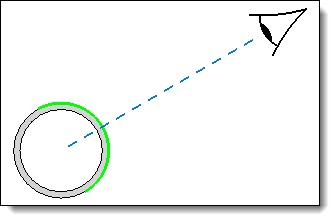
Case of cylindrical shapes: to retain the face of a cylindrical shape, a visible face percentage close to 50% will be necessary. Indeed, whatever the direction, we will always see only half of the face, as illustrated below.
|
Available options:
Update:
|
By activating this option, the Coating Area parameter will be updated when a shape is geometrically modified. Otherwise the update will have to be done manually thanks to a right click on the parameter.
|
Coating:
|
This dialog allows to apply a coating to the selected faces. Specify whether the coating is from a Document (then select a Category and the Coating) or from a Parameter (then select the parameter). Select an Orientation Frame for the coating orientation.
|
Special Faces (available with Shapes mode only):
|
This option allows to exclude and/or include faces to those selected. Activate the desired windows and then click faces in the graphic area.
|