Drag and drop the family document in an assembly to include the component.
See Extruded Bar command for the different installation modes.
|
Linear inclusion |
TopSolid offers the possibility to create components with length as driver and to place them like extruded bars (between 2 points, on a sketch, etc.).
This avoids the creation of components with geometrical drivers.
Creation stages / Use:
Create your component with a parameterized length.
Provide function Linear Component and fill the dialog:
|
|
Create a new family document from this generic component.
Drag the length parameter into the Drivers folder (and possibly other parameters if needed).
Provide driving Linear Family and give the length parameter to the Length publication.
|
Drag and drop the family document in an assembly to include the component. See Extruded Bar command for the different installation modes. |
|
|
|
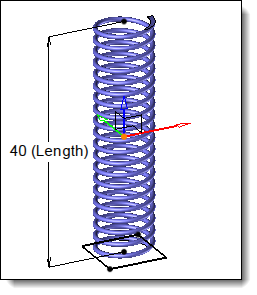
Example of a linear component design. |