Repetition
|
Repetition |
This command allows a 2D sketch element (profile or point) according to a chosen pattern to be repeated (duplication with link).
Creation stages / Use:
Select the 2D sketch > Operations > Repetition... command from the drop-down menu.
Select the profile or point to repeat.
Define the pattern to be applied and its parametering.
|
The Tolerance contextual command allows to modify this approximation. |
|
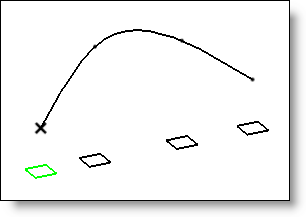
Possibility to created a projected pattern regarding a 3D sketch pattern.
Create a pattern on profile on a 3D sketch (frames orientation must be the same, for example "Constant"). Create the 2D sketch to repeat. Repeat this sketch. When the cursor is in the repetition dialog field Pattern, select a point of the pattern from 3d sketch.
|
Available Options:
Join methods:
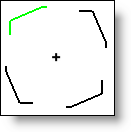
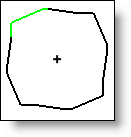
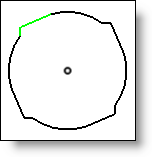
This option allows you to choose the type of join between the instances of the pattern:
Type |
Definition |
Example |
None |
The repetition's elements are not joined. |
|
Straight |
The repetition's elements are joined by a line. |
|
Circular (only available for circular patterns). |
The repetition's elements are joined by a curve.
|
|
Additional Information / Modifications:
Modify the repetition from the operations tree, select your sketch, then right-click on the repetition and choose Edit from the popup menu.