|
|
Faceting |
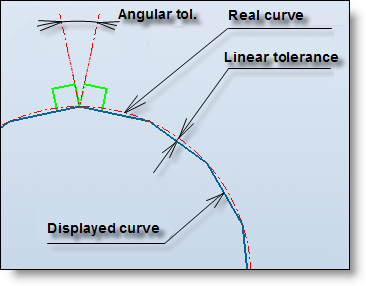
This command allows to define the linear and angular tolerances used during the conversion of an exact shape into a facetted shape.
Creation stages / Use:
From the document Options tree, unfold the General node and double click on the Faceting... node.
Give the linear tolerance value.
Give the angular tolerance value.
Validate
|
|
The conversion of an exact shape into a facetted shape is done during a boolean operation between a facetted shape and an exact shape. The tolerances are used during the conversion of the exact shape into the facetted shape, modifying them afterward doesn't have any incidence on the faceting of an existing facetted shape. |
Example:
|
|
|
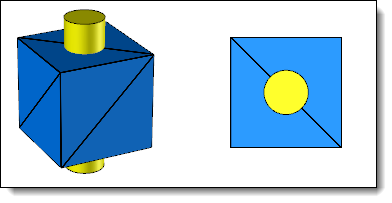
Facetted block (STL import) and an exact cylinder (build with TopSolid)
|
|
|
|
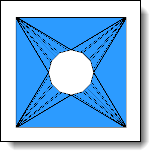
Subtraction of the cylinder with faceting tolerance of 0.2mm and 15°
|
|
|
|
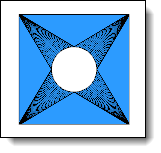
Subtraction of the cylinder with faceting tolerance of 0.2mm and 5° |