Repetition
|
|
Repetition |
This command allows to repeat entities of sketch using a pattern.
This pattern could not be modified.
Creation stages / Use:
In a Drawing document, click the  icon or select the Sketch > Repetition... command from the drop-down menu.
Select the geometries to repeat.
Define the pattern to be applied and its parametering.
Available options:
Join methods:
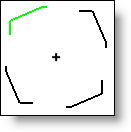
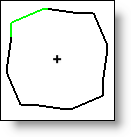
This option allows you to choose the type of join between the instances of the pattern:
|
Type |
Definition |
Example |
|
None |
The repetition's elements are not joined. |
|
|
Straight |
The repetition's elements are joined by a line. |
|