Mesh
|
Mesh |
This command allows to mesh parts of the document.
Creation stages / Use:
Click the  icon or select the Mesh > Mesh...
command from the drop-down menu.
icon or select the Mesh > Mesh...
command from the drop-down menu.
Select parts to mesh.
Provide the target size of the meshing.
Validate by clicking  .
.
|
Target size: This is the size that should be obtained for mesh items. Meshing should not produce bigger items, and the number of smaller items should be limited as much as possible. |
Available options:
Minimum size:
|
It is the smallest mesh size the solver is allowed to create. |
Transition factor:
|
Allows to define the mesh size transition between a small mesh and a greater mesh. For example, if the mesh target size is 8mm and you define a local mesh of 2mm on a circular edge, passing from a mesh of 2mm to a mesh of 8mm would be too abrupt and so the analyze quality will be degraded. The transition factor allows to create several meshes of increasing size up to the target size. |
Refinement:
|
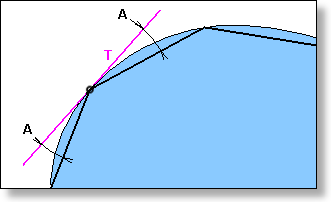
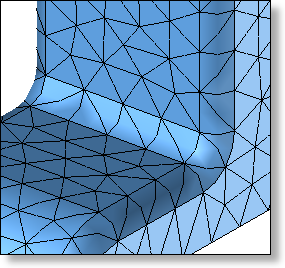
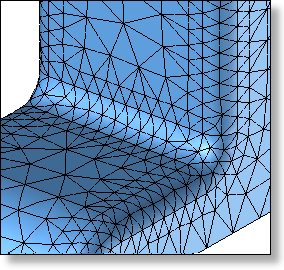
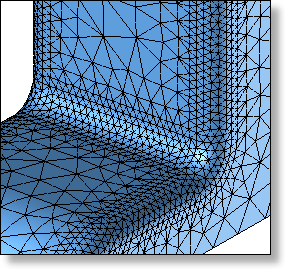
Allows to automatically refine the meshing on the curvatures of the set to mesh. This option avoid to use local size when the shape to mesh is mainly made of curved faces. On a meshing point, the angular value given (A) correspond with the angle between the surface tangent (T) on this point and le meshing line that goes to the next point:
Thus, the more the angular value is small, the more the meshing is thin, proportionally to the surface curvature.
|
It is the smallest mesh size the solver is allowed to create. |