 or select the Tools > Publishings > Provide function... command from the drop-down menu, or "drag&drop" the function form the TopSolid Mechanical library tree:
|
|
Stackable Component |
You provide a Stackable component function to your part.
Creation stages / Use:
Click the or select the Tools > Publishings > Provide function... command from the drop-down menu, or "drag&drop" the function form the TopSolid Mechanical library tree:
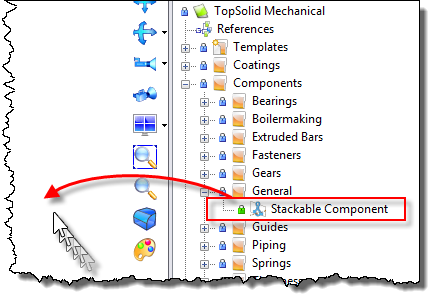
Select the function Stackable component.
Edit the function.
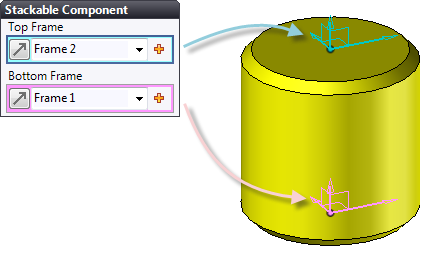
Set the Top and Bottom Frame. If they don't exist, create them "from scratch"  .
.
|
|
Every parts of the future stack must contain the function Stackable component. |
