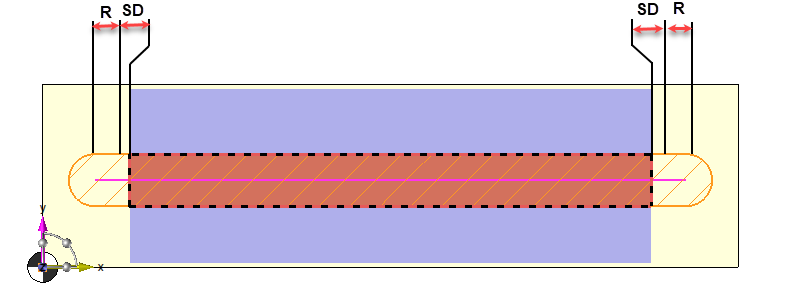
Topology
*) When the slot is open on the sides TopSolid automatically adds the tool radius and the peripheral safety distance to the selected surface for the machining.
 The check box "take into account the stock shape" has no influence for the tool path to come out of the stock.
*) When the slot is not open on the sides Topsolid does not take into account the value defined in the peripheral safety distance.
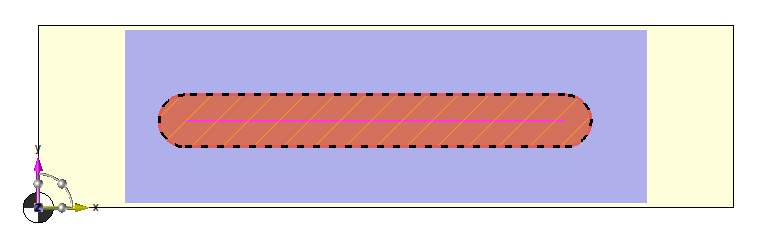
On sketch
*) If "take into account the stock" is not activated the peripheral safety distance has no influence, the tool path is directy linked to the selected profile.
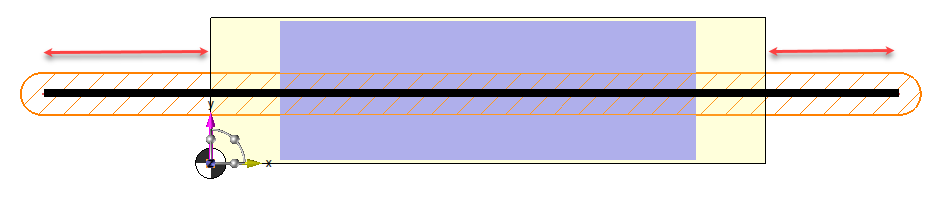
*) If "take into account the stock" is activated the tool path is limited to the stock.TopSolid automatically adds the tool radius and the peripheral safety distance.
.
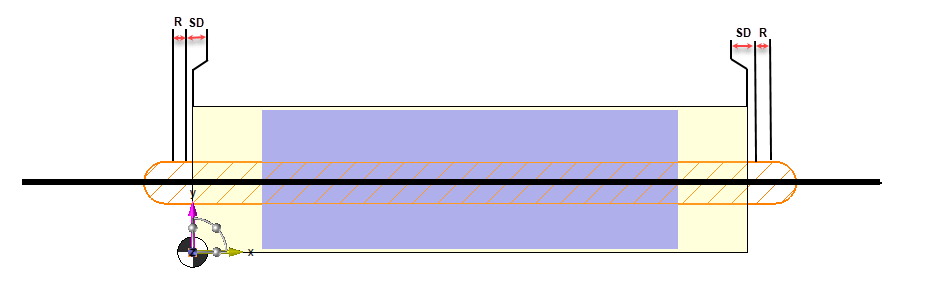
It will not be possible to have a bigger tool path than the selected profile by increasing the peripheral safety distance.
 If the profile used for the geometry is smaller than the stock the option take account stock does not prolong the tool path until the stock.