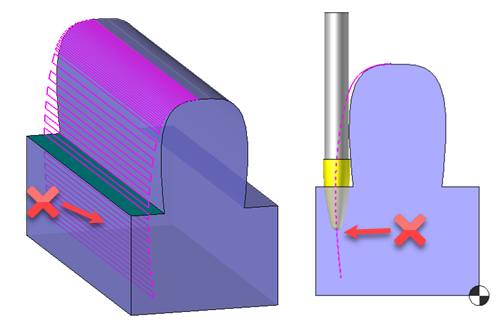
 In the case of a 5X sweeping realised with another tool than a ball nose mill, it is necessary to check this option to be able to activate the trimming surfaces.In the case of a 5X sweeping realised with another tool than a ball nose mill, it is necessary to check this option to be able to activate the trimming surfaces.
 Activation of blue trimming surfaces Activation of blue trimming surfaces  Enable computing with a sphere Enable computing with a sphere |
Activation of blue trimming surfaces Enable computing with a sphere |
 |
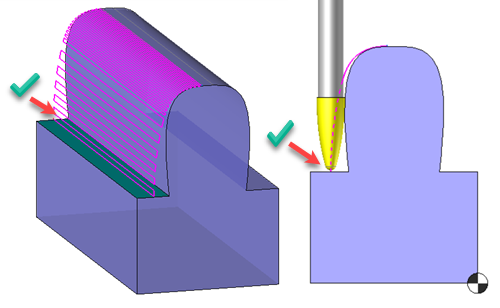 |
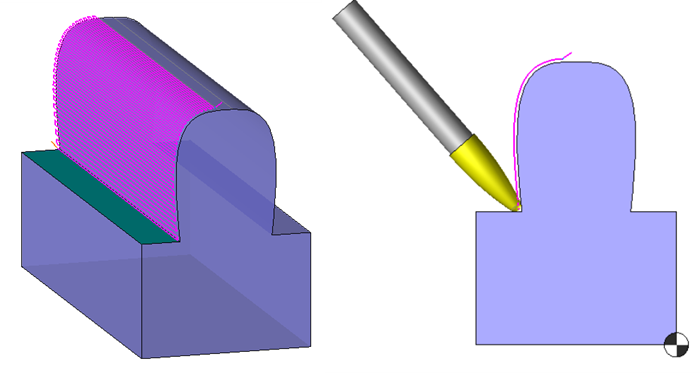
With enable computing with a sphere the trimming is still activated in 5X .
 |
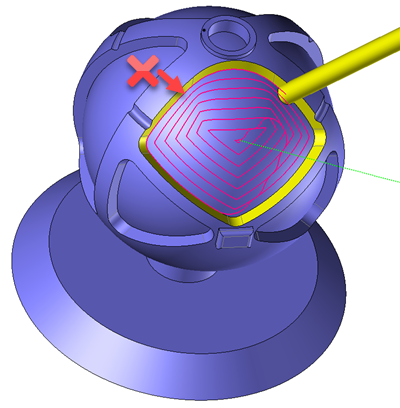
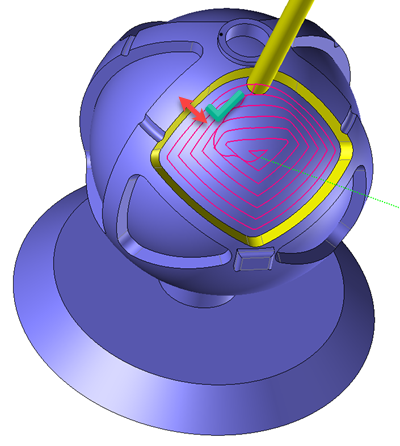
This other example illustrates how to use a side mill to do a 5x sweeping on a spherical pocket.
| Activation of yellow trimming surfaces Enable computing with a sphere |
Activation of yellow trimming surfaces Enable computing with a sphere |
 |
 |