Compensation Method

Original

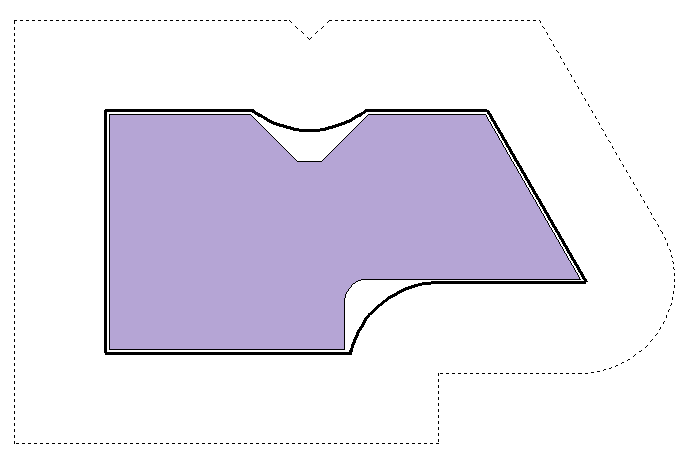
The geometry of the tool path is the same as the geometry of the contour to complete.

In this case, the tool trajectory is perpendicular to the contour to create. If the user wishes to offset this trajectory from a tool radius, they must check the "Send tool corrector" checkbox and load the value of the corresponding corrector to the tool machine. The digital command of the machine tool, in this case, is responsible for calculating the actual path of the tool.

For the " breaking edges" function, no tool path will be computed if the option Use compensation code is unchecked.


Correction Value (on machine) = Actual Radius

------------------ Tool Center

__________ Path Sent


Part


Corrected

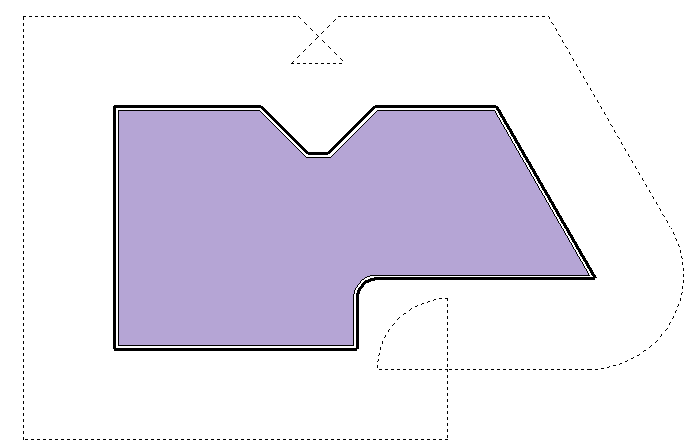
The geometry of the tool path is the same as the geometry of the contour to complete, except in areas where the tool cannot pass due to its radius. In these two areas, TopSolid'Cam generates a corrected path with a radius equal to the tool radius or correction radius.

In this case, with the exception of corrected areas, the tool trajectory is perpendicular to the contour to create. If the user wishes to offset this trajectory from a tool radius, they must check the "Send tool corrector" checkbox and load the value of the corresponding corrector to the tool machine. The digital command of the machine tool, in this case, is responsible for calculating the actual path of the tool. Logically, this should not produce an error because the path has been specially corrected for it.


Correction Value (on machine) = Actual Radius

------------------ Tool Center

__________ Path Sent


Part


Shifted

The geometry of the tool path is offset by a value equal to the sum of the tool radius and the stock to leave, on the contour to complete. This method is the best method for avoiding calculation errors in the machine tool command manager.

In this case, given that the calculated trajectory has been offset, it is not necessary to have the command manager do as much at the risk of producing two offsets. However, you can also use machine correctors to adjust the dimensions of the part based on the tool dimensions. In this case, the correction value is no longer equal to the tool radius but to the difference between the actual tool radius and the programmed radius.


Correction Value (on machine) = Actual Radius - Programmed Radius

------------------ Tool Center

__________    Path Sent


Part