Boolean
|
|
Boolean |
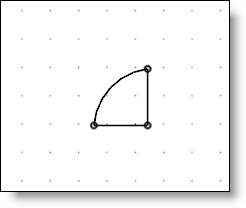
This command allows to unit, substract or intersect a profil or a section with others profils/sections of the same sketch or sketches previously created.
Creation stages / Use:
Click the icon or select the 2D sketch > Modifications > Boolean... command from the drop-down menu.
Select the type of boolean to obtain.
Select the profile or the section to modify.
Select the profile(s)/section(s) to use as tool.
Validate by clicking  .
.
|
|
The preview is displayed by filling sections in orange. |
Available options:
|
|
|
|
|
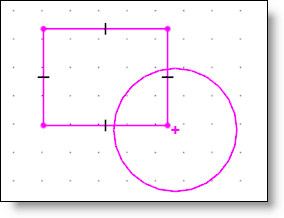
The boolean operation has to be done with the rectangle and the circle. |
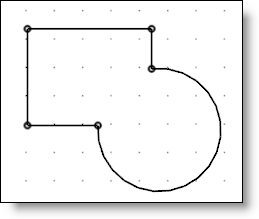
Unit:
|
|
|
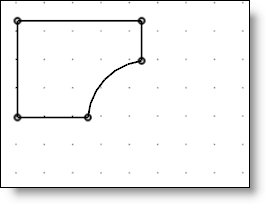
Substract:
|
|
|
Name of the option:
|
|
|
Modifications / Additional information:
|
|
The element thus created is an operation, its updating is carried out after solving the sketch. This element is not therefore visible during editing the sketch and cannot be limited by a sketch element nor used as a limitation to the sketch element. Some operations are not able to produce an exact result, and in that case an approximation is made. |